Integrations.
Four flavours of integration: pointing an F-Droid client at your repo, publishing APKs from CI, wiring up forge auto-ingest so releases on GitHub / GitLab / Gitea show up here automatically, and delegating to source proxies for anything else (F-Droid mirrors, Patreon, internal artefact registries…).
01F-Droid client setup
Any F-Droid Android client speaks the standard index protocol — there's nothing custom to install. Add the repo URL the same way you'd add f-droid.org.
The URL
The repo path is always:
https://apks.example.com/fdroid/repo
QR code
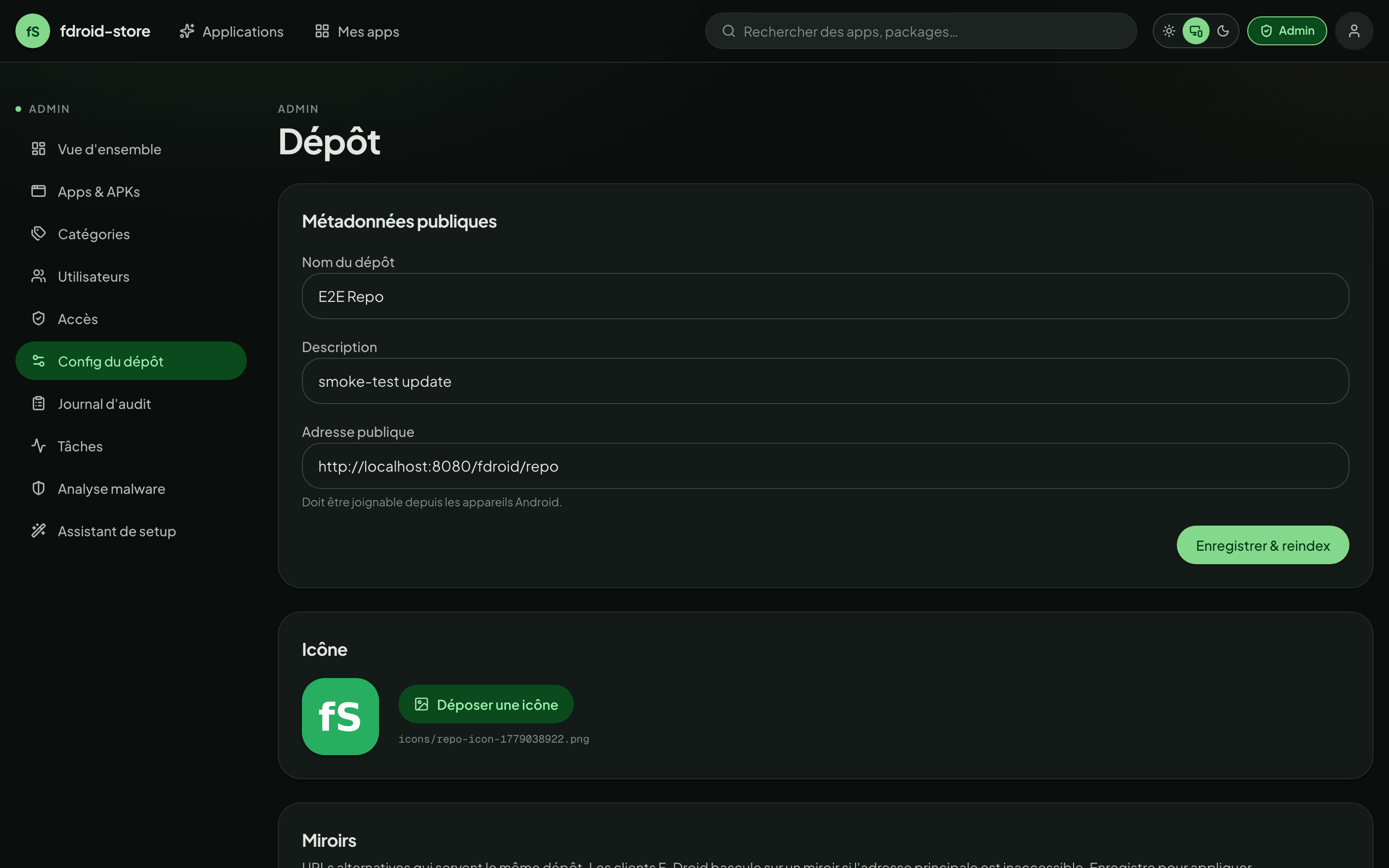
Under /admin/repo, the address card shows a QR code. Scan it from the F-Droid app's Add repository screen and you're subscribed.
Fingerprint pinning
For extra safety, paste the repo's signing-cert SHA-256 fingerprint next to the URL when adding the repo. F-Droid refuses to switch certs silently — pinning protects against a hostile DNS swap.
The fingerprint is visible in /admin/repo, and is also baked into the URL F-Droid hands back when you scan the QR code (the ?fingerprint= query param).
02Private apps in the F-Droid client
Apps marked private aren't in the public index — you can't see them from fdroid.example.com/fdroid/repo. To pull them, the client authenticates with HTTP Basic auth, using your API key as the password.
The trick
The Android F-Droid client supports a username:password@ prefix in the repo URL. The username is ignored — only the password matters. Use the full API key as the password:
https://anyuser:fdr_9a4b...3c12_8K3p...vQ9L@apks.example.com/fdroid/repo
Step-by-step
- Mint an API key
From
/account → API keys → New key. Copy it — it's shown once. - Form the URL
Stick the key in front of the host as the Basic-auth password. Any username works.
- Add to F-Droid
F-Droid → Settings → Repositories → Add repo. Paste the URL (or scan the QR shown when the key is minted). F-Droid stores the credential on the device; in transit, the
Authorization: Basicheader carries it. If the public repo is already in the app, remove it first: F-Droid only reads credentials when a repository is added. - Sync
F-Droid now sees both public and private apps. Updates fetch with the same credential.
The Basic-auth key is your account-wide credential. If the device is stolen, revoke it from /account → API keys. Don't share one device's key across devices.
03CI publishing
To publish an APK from a pipeline, you need:
- An app already created in fdroid-store (manually or via the wizard).
- A deploy token — minted on that app's page.
fdci_<prefix>_<secret>. - The upload URL — shown on the same page.
Why a deploy token and not an API key?
API keys have your full account power (read all your apps, manage account settings, …). Deploy tokens are scoped to one app, upload-only — leak blast radius bounded. If you ship the same key to ten apps' CI runners, one compromised runner only touches one app.
fdci_a2c8…
fdci_71fb…
Minting the token
From the app page, CI Publication panel:
- Name the token
Use the CI runner's name — "github-actions", "gitlab-shared", "k8s-runner-prod". Future-you will thank you.
- Click Generate
The modal shows the full
fdci_…string once with copy buttons and ready-to-paste snippets for curl, GitHub Actions, GitLab CI. - Paste into the CI's secret store
Don't commit the token. Use GitHub Secrets, GitLab Variables (masked), Jenkins Credentials, etc.
The upload contract
Click the How to publish button on the CI panel any time — it shows the spec without minting a new token:
- Method
POST- URL
$PUBLIC_API_URL/api/v1/apks/upload/<APP_ID>- Auth
Authorization: Bearer <YOUR_TOKEN>- Body
multipart/form-data— one field namedfilewith the APK, plus an optionalbeta=trueto publish on the F-Droid Beta channel (only users who allowed beta updates for the app get it; the suggested version doesn't move).- Response
201 Createdwith the parsed manifest.409on duplicate versionCode.422on signing-cert mismatch or ClamAV positive.
04curl
The minimum viable client. Useful for ad-hoc tests and shell scripts.
curl -fSL -X POST "$REPO_URL/api/v1/apks/upload/$APP_ID" \
  -H "Authorization: Bearer $FDROID_DEPLOY_TOKEN" \
  -F "file=@build/outputs/apk/release/app-release.apk"
The -f flag makes curl fail loudly on a non-2xx response — important in CI. For nightlies or release candidates, add -F "beta=true".
05GitHub Actions
Add the deploy token to Repo → Settings → Secrets and variables → Actions as FDROID_DEPLOY_TOKEN. The workflow below assumes you already build the APK earlier in the run.
name: Publish APK

on:
  release:
    types: [published]

jobs:
  publish:
    runs-on: ubuntu-latest
    steps:
      - uses: actions/checkout@v4

      - name: Build APK
        run: ./gradlew assembleRelease

      - name: Push to fdroid-store
        env:
          FDROID_DEPLOY_TOKEN: ${{ secrets.FDROID_DEPLOY_TOKEN }}
          REPO_URL: https://apks.example.com
          APP_ID: 9a4b1f8c-3e12-4d8c-a9e0-...
        run: |
          curl -fSL -X POST "$REPO_URL/api/v1/apks/upload/$APP_ID" \
            -H "Authorization: Bearer $FDROID_DEPLOY_TOKEN" \
            -F "file=@app/build/outputs/apk/release/app-release.apk"
If you publish multiple build flavours, loop over them:
      - name: Push variants
        env:
          FDROID_DEPLOY_TOKEN: ${{ secrets.FDROID_DEPLOY_TOKEN }}
        run: |
          for apk in app/build/outputs/apk/release/*.apk; do
            curl -fSL -X POST "https://apks.example.com/api/v1/apks/upload/$APP_ID" \
              -H "Authorization: Bearer $FDROID_DEPLOY_TOKEN" \
              -F "file=@$apk"
          done
06GitLab CI
In Project → Settings → CI/CD → Variables, add FDROID_DEPLOY_TOKEN as a masked, protected variable.
stages:
  - build
  - deploy

build_apk:
  stage: build
  script:
    - ./gradlew assembleRelease
  artifacts:
    paths:
      - app/build/outputs/apk/release/

publish_apk:
  stage: deploy
  needs: [build_apk]
  script:
    - |
      curl -fSL -X POST "https://apks.example.com/api/v1/apks/upload/$APP_ID" \
        -H "Authorization: Bearer $FDROID_DEPLOY_TOKEN" \
        -F "file=@app/build/outputs/apk/release/app-release.apk"
  only:
    - tags
07Jenkins / generic
Any tool that can run curl will do. Below is a Jenkins declarative example:
pipeline {
  agent any
  environment {
    APP_ID = '9a4b1f8c-…'
    REPO   = 'https://apks.example.com'
  }
  stages {
    stage('Publish') {
      steps {
        withCredentials([string(credentialsId: 'fdroid-deploy', variable: 'FDROID_DEPLOY_TOKEN')]) {
          sh '''
            curl -fSL -X POST "$REPO/api/v1/apks/upload/$APP_ID" \\
              -H "Authorization: Bearer $FDROID_DEPLOY_TOKEN" \\
              -F "file=@app/build/outputs/apk/release/app-release.apk"
          '''
        }
      }
    }
  }
}
08Forge auto-ingest
Instead of pushing from CI, you can have the worker pull from your release pipeline. fdroid-store supports three forges:
GitHub
Public & private repos. PAT optional for public; required for private. Uses the standard api.github.com.
GitLab
gitlab.com or self-hosted. Set the base URL on the source if it's not gitlab.com. read_api scope is enough.
Gitea / Forgejo
Self-hosted by definition. The source carries the base URL; SSRF guard runs first.
/api/v1/repos/<owner>/<repo>/releasesSetup
-
Open the app source panel
From
/my-apps/<id>, scroll to Release source. Pick a provider. -
Fill the fields
- Repository:
owner/name(e.g.Dim145/fdroid-store) or a fullhttps://URL. - Base URL: only for self-hosted GitLab / Gitea.
https://only — the SSRF guard rejects everything else. - Asset pattern: glob applied to the release asset name. Default = first
.apk. Examples:*-universal.apk,app-release-*.apk. - Access token (optional): required for private repos. Stored Fernet-encrypted at rest — only
has_access_token: trueis ever returned by the API.
- Repository:
-
Save & scan
Click Scan now to do an immediate fetch. From then on the worker re-checks every source on a daily cron (see jobs dashboard).
What happens on a new release
- Worker lists releases since the last poll's timestamp.
- Filters to assets matching the glob.
- Downloads each asset to a tmpfile — under the proxy/redirect SSRF guard.
- Runs the same pipeline as a manual upload: parse manifest → cert check → ClamAV (if on) → retention eviction.
- Records every transition in the audit log.
- Triggers a reindex.
Per-source PATs override the server-wide GITHUB_TOKEN / GITLAB_TOKEN / GITEA_TOKEN env fallbacks. Rotate them by editing the source — the UI shows a token configured chip but never reveals the secret.
09REST API basics
If you outgrow the deploy-token-plus-curl approach, the whole platform exposes a JSON API at /api/v1/*.
Auth
Three credential shapes are accepted on every authenticated endpoint:
- JWT bearer
Authorization: Bearer <access_token>. Obtain fromPOST /api/v1/auth/login. TTL 60min by default; rotate viaPOST /api/v1/auth/refresh.- API key
Authorization: Bearer fdr_<prefix>_<secret>. Same full account scope as a JWT.- Deploy token
Authorization: Bearer fdci_<prefix>_<secret>. Scoped to one app, upload-only path.
Discovery
In ENVIRONMENT=development, full Swagger lives at /api/docs and ReDoc at /api/redoc. In production both are disabled — pull the OpenAPI spec from /api/v1/openapi.json instead.
Useful endpoints
# tell me which auth methods are on
GET  /api/v1/auth/methods

# list apps you can see
GET  /api/v1/apps

# inspect an APK without uploading it (returns parsed manifest)
POST /api/v1/apks/inspect

# mint a download URL for a private APK (admin / owner / co-maintainer)
POST /api/v1/apks/<apk_id>/download-url

# your active sessions; DELETE to revoke one
GET  /api/v1/me/sessions
DEL  /api/v1/me/sessions/<id>

# v1.2 additions
# per-APK reproducibility — set the status / reference hash / notes
POST /api/v1/apks/<apk_id>/reproducibility
# or fetch a published hash document and auto-decide
POST /api/v1/apks/<apk_id>/reproducibility/verify-from-url

# per-APK SBOM + CVE findings (owner / collab / admin only)
GET  /api/v1/apks/<apk_id>/sbom
GET  /api/v1/apks/<apk_id>/sbom?summary=true   # skip the CVE list
POST /api/v1/apks/<apk_id>/sbom/rescan

# app metadata as F-Droid YAML (owner / collab / admin)
GET  /api/v1/apps/<app_id>/metadata.yml

# WebAuthn / passkey enrolment + sign-in
POST /api/v1/webauthn/register/start
POST /api/v1/webauthn/register/finish
POST /api/v1/webauthn/login/start
POST /api/v1/webauthn/login/finish
GET  /api/v1/me/webauthn-credentials
DEL  /api/v1/me/webauthn-credentials/<id>

# encrypted backup workflow (admin only)
POST /api/v1/admin/backup/jobs           # start a job; body = components + passphrase
GET  /api/v1/admin/backup/jobs           # history list
GET  /api/v1/admin/backup/jobs/<id>/download
POST /api/v1/admin/backup/restore        # multipart: archive + passphrase + components

# aggregate stats (visibility honours admin toggles)
GET  /api/v1/stats

# per-app release feed
GET  /api/v1/feed/apps/<package_name>
10Atom / RSS feeds
Two feeds for tooling that wants a fire-hose:
- /api/v1/feed/new
- Atom — every new app added to the public repo. Useful for posting to an internal Slack channel.
- /api/v1/feed/updates
- Atom — every new APK version published. One entry per (app, version).
- /api/v1/feed/apps/{package_name}
- Atom — release feed scoped to a single app. Subscribe per-app for projects you care about without flooding the global feed. Auto-discovered via a
<link rel="alternate">on/apps/{package}.
All three endpoints also accept ?format=rss. All respect the public/private boundary — anonymous callers see public-only.
If you wire something interesting on top of the API, open an issue on GitHub and we'll happily link it from here.
11fdroiddata bridge
Your private repo and the official global F-Droid index aren't either/or — fdroid-store can act as a staging ground before you PR an app into upstream fdroiddata.
Import a metadata.yml from fdroiddata
The New app wizard accepts a pasted metadata.yml. Drop the file from an existing fdroiddata entry, hit Continue: the parser extracts the title, summary, description, license, links, author, anti-features and categories. You still need to attach an APK afterwards, but everything else is pre-filled.
Export your app as metadata.yml
The Exporter YAML button on the Hero of /my-apps/[id] downloads a <package>.yml in F-Droid's canonical field order. Every field that round-trips with the importer is written; Builds[] is emitted in the binary: shape pointing at this repo's APK URLs, so the YAML can be PR'd into fdroiddata as a binary-only entry without further editing.
curl -H "Authorization: Bearer $TOKEN" \
     -o "org.example.app.yml" \
     "https://apks.example.com/api/v1/apps/$APP_ID/metadata.yml"
Reproducible-builds verification flow
For apps that participate in reproducible builds, the canonical reference is F-Droid's verification server:
https://verification.f-droid.org/<package>_<versionCode>.apk.json
That JSON bundles both local.sha256 (the build farm's bytes) and remote.sha256 (the developer's upstream). Paste the URL into the Verify from URL field on the APK's RB editor — the backend fetches it (SSRF-guarded, redirects refused), extracts every 64-hex hash it finds, and verifies if any of them match this repo's APK. The stored reference is whichever hash actually matched.
12Source proxies
For APK sources that don't fit the forge model — F-Droid mirrors, Patreon, your own internal artefact registry — fdroid-store delegates to external source proxy services that speak a small HTTP protocol. Each proxy author owns the scraping / ToS / legal burden for their slice; fdroid-store stays neutral and only talks to the proxies your operator has whitelisted.
What the operator sees, what you see
Admins register proxies on /admin/proxies with a name, a base URL and an optional shared secret. As an uploader you only see the proxy's name + the providers it exposes — never the URL, never the secret. The actual HTTP traffic from /resolve downloads happens server-side, so internal hostnames stay internal.
Attaching a source to an existing app
From /my-apps/<id>, scroll to Sources externes (Section 09) → Ajouter une source. A right-edge wizard opens with three steps:
-
Pick a proxy
Only enabled + healthy proxies with a non-empty catalogue appear. Each card shows the proxy's name and its provider count.
-
Pick a provider
The proxy's catalogue, with each provider's auth requirements as a chip (
Sans auth/Token API/Basic auth/OAuth). Providers already attached to this app are greyed out. -
Fill the form
One URL field (with
url_hintplaceholder andurl_patternhint) plus zero, one, or many secret fields depending on the provider'sauth_kind. OAuth providers replace the secret fields with a Se connecter button.
Attaching a source from the start (New App page)
/my-apps/new now has a third tab Depuis un proxy next to Uploader un APK and Depuis GitHub. The flow is the same 3-step wizard inline in Step 01, ending with a Valider la source button. fdroid-store resolves through the proxy, downloads the APK, parses the manifest and shows you the package + version + size before you commit to creating the app.
The validate step writes nothing to the DB — it's a probe. If the package name or signer don't match what you expected, switch the URL or the provider and re-validate. Only when you click Publier la sortie does the App + first APK + ApkProxySource land.
OAuth in two clicks
For providers with auth_kind: oauth2 (Patreon, services with proper OAuth), clicking Se connecter opens a popup against the proxy's begin endpoint. The proxy walks the IdP dance, stores the access/refresh tokens on its side, and redirects the popup back to /api/v1/auth/proxy-callback?credential_id=<opaque>&state=<signed>. The callback verifies the HMAC state (the SPA never sees the real token), the popup posts the credential_id to its opener and closes. The wizard then shows Compte connecté · prêt à attacher la source.
What the daily scan does
- Worker calls
POST /resolveon the proxy with yourlast_release_id. - 304 means "same release, nothing to do" → row stays as
up_to_date. - 200 with new metadata → download (SSRF-guarded, size-capped), parse, verify
apk_sha256_hintif provided, cross-checkversion_code+package_nameagainst the proxy's claim, run ClamAV + Trivy if enabled, attach as a new APK. - 401 → row flips to
auth_requireduntil you edit the secrets (or reconnect OAuth). - 429 → row goes into
rate_limitedwith a cooldown derived from the proxy'sretry_after(capped at 24 h). - Every transition is one row in the audit log under
proxy_source.*.
API tokens, basic-auth credentials and OAuth credential_ids are stored Fernet-encrypted on the source row (key derived from SECRET_KEY). Only the boolean has_secrets is ever returned by the API. Audit-log entries carry the names of the secret keys you set, never the values.