
Getting Started with Docker
Trackarr ships as a Docker stack: one image runs the Nuxt app, the BitTorrent tracker, and the migrations. The same image is reused everywhere — your URLs, secrets and domain are passed at runtime via environment variables, so you never need to rebuild to change them.
This page covers two scenarios:
- Local development — get something running on your laptop in under a minute.
- Production deployment — a real VPS with HTTPS and a domain.
Prerequisites
- Docker 20+ and Docker Compose v2 (
docker compose ...). - For production: a Linux VPS (any distro), a domain name, and ports 80/443 open.
opensslis used to generate secrets. It is preinstalled on every Linux/macOS distribution.
Local development
For local hacking, the defaults work as-is.
git clone https://github.com/Dim145/opentracker.git
cd opentracker
cp .env.example .env

# Generate the secrets that have no usable defaults
echo "IP_HASH_SECRET=$(openssl rand -hex 32)" >> .env
echo "NUXT_SESSION_SECRET=$(openssl rand -hex 32)" >> .env

# 1) Bring up the data layer (postgres + redis)
docker compose up -d

# 2) Install JS deps + start the app processes on the host (web + api + tracker)
pnpm install
pnpm dev
Open http://localhost:3000 once pnpm dev is ready. The first user that registers is automatically promoted to admin.
TIP
docker-compose.yml only spins up Postgres and Redis — the app processes (web, api, tracker) run on the host via pnpm dev so saves trigger HMR without rebuilding containers. The data services listen on localhost:5432 and localhost:6379 if you want to attach with a GUI client.
To follow the data-layer logs:
docker compose logs -f postgres redisTo wipe everything (including the database):
docker compose down -vProduction deployment
The production stack adds Caddy (automatic HTTPS via Let's Encrypt) and PgBouncer (PostgreSQL connection pool) on top of the dev stack.
1. DNS records
Point two A records at your VPS public IP:
| Subdomain | Record | Value |
|---|---|---|
your-domain.com | A | Your VPS IP |
tracker.your-domain.com | A | Your VPS IP |
TIP
DNS usually propagates within a few minutes. Caddy will fail to obtain TLS certificates if the records are missing or pointing to the wrong host, so verify with dig your-domain.com before continuing.
2. Clone and configure
git clone https://github.com/Dim145/opentracker.git /opt/trackarr
cd /opt/trackarr
Populate .env from the example file and generate the secrets:
cp .env.example .env

cat >> .env <<EOF
NODE_ENV=production
DOMAIN=your-domain.com
TRACKER_DOMAIN=tracker.your-domain.com
ACME_EMAIL=admin@your-domain.com

NUXT_SESSION_SECRET=$(openssl rand -hex 32)
ADMIN_API_KEY=$(openssl rand -hex 32)
IP_HASH_SECRET=$(openssl rand -hex 32)
DB_PASSWORD=$(openssl rand -hex 32)
REDIS_PASSWORD=$(openssl rand -hex 32)

NUXT_PUBLIC_TRACKER_HTTP_URL=https://tracker.your-domain.com/announce
NUXT_PUBLIC_TRACKER_UDP_URL=udp://tracker.your-domain.com:6969/announce
NUXT_PUBLIC_TRACKER_WS_URL=wss://tracker.your-domain.com/ws
EOF
WARNING
IP_HASH_SECRET has no fallback — the app refuses to start without it. Likewise NUXT_SESSION_SECRET must be at least 32 chars long.
3. Start the stack
docker compose -f docker-compose.prod.yml up -d --buildThe first start does the following, in order:
- Build the Trackarr image (Nuxt SSR + tracker bundled together).
- Start PostgreSQL, Redis, PgBouncer, the app, and Caddy.
- The app's entrypoint applies the committed migrations and seeds default categories. A migration that fails aborts the boot rather than starting against a half-applied schema.
- Caddy requests Let's Encrypt certificates for
DOMAINandTRACKER_DOMAIN.
Once everything is healthy:
docker compose -f docker-compose.prod.yml ps
curl https://your-domain.com/api/health
Open https://your-domain.com and register the first user — they become the admin and are prompted to set a panic password.
4. Operating the stack
# Logs (app only)
docker compose -f docker-compose.prod.yml logs -f app

# Logs (everything)
docker compose -f docker-compose.prod.yml logs -f

# Restart everything
docker compose -f docker-compose.prod.yml restart

# Stop the stack (data preserved)
docker compose -f docker-compose.prod.yml down

# Health checks
docker exec trackarr-db pg_isready
docker exec trackarr-redis redis-cli -a "$REDIS_PASSWORD" ping
5. Updating
cd /opt/trackarr
git pull origin main
docker compose -f docker-compose.prod.yml up -d --build
The entrypoint applies any pending migration on every start, so a schema change ships with its image. On an existing database created by an older image that pushed schema.ts instead, run the one-time baseline first — see Upgrading. Volumes (postgres_data, redis_data, uploads_data, caddy_data) survive rebuilds.
Breaking schema changes
If a release tightens column constraints (e.g. adds NOT NULL), drizzle-kit push will fail when the existing data violates the new constraint. The release notes call those out explicitly — read them before pulling.
Required environment variables
The full list is in Configuration. The ones below are the minimum you must set for production:
| Variable | Why |
|---|---|
NUXT_SESSION_SECRET | Encrypts user sessions (32+ chars) |
ADMIN_API_KEY | Header-auth admin routes (optional — see note below) |
IP_HASH_SECRET | Daily-rotated salt for peer-IP hashing |
DB_PASSWORD | PostgreSQL password |
REDIS_PASSWORD | Redis password |
DOMAIN | Main domain (Caddy TLS) |
TRACKER_DOMAIN | Announce subdomain (Caddy TLS) |
ACME_EMAIL | Let's Encrypt contact email |
NUXT_PUBLIC_TRACKER_HTTP_URL | Announce URL embedded in .torrent files (runtime) |
NUXT_PUBLIC_TRACKER_UDP_URL | UDP announce URL (informational, UDP is disabled) |
NUXT_PUBLIC_TRACKER_WS_URL | WS announce URL (informational, WS is disabled) |
ADMIN_API_KEY is the one line in that table you can leave empty. It is not part of the boot-time secret check, and no route calls the header gate today (requireAdmin in apps/api/utils/auth.ts has no callers) — the admin panel authenticates by session, not by this key. Generating one costs nothing and keeps a later admin-API route from needing a redeploy, but an empty value removes no protection from anything that exists now.
The docker-compose.prod.yml file ships with TRUST_PROXY=true — needed so the rate limiter sees the real client IP through Caddy. Don't remove it.
First steps after install
- Register the first user. That account is automatically the admin.
- Set a panic password when prompted (12+ chars). Without it you can't activate the Panic Mode.
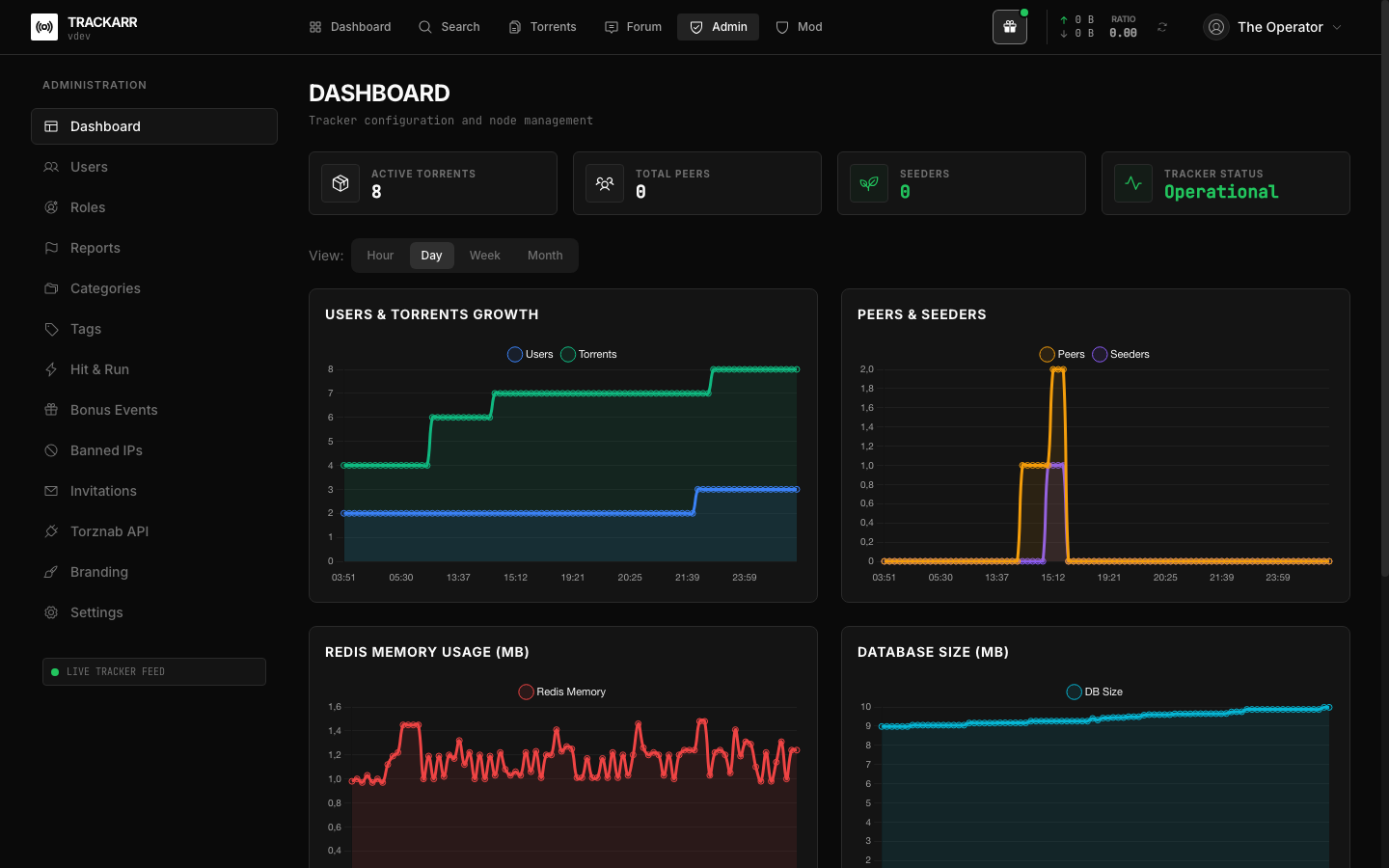
- Open the admin panel (
/admin) and configure the site name, rules and invite policy. - Generate invitations if you want a closed community.
Next steps
- Configuration — every environment variable explained.
- Security — the security architecture in depth.
- Zero-Knowledge Auth — how login works.
- Panic Mode — emergency encryption.
- Backup & restore — protect your data.
- Troubleshooting — when things go wrong.